
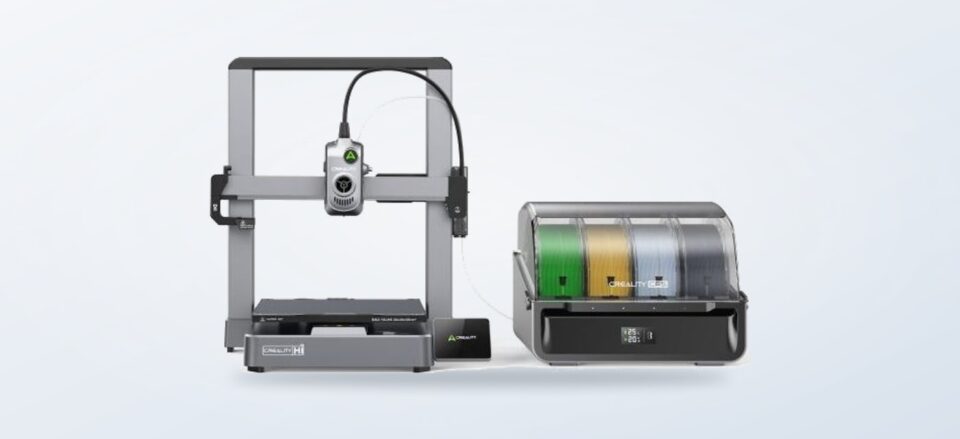
A product-page-based look at the Creality Hi Combo’s multi-colour workflow, setup, practical fit and trade-offs for UK makers.
A printer with an automatic filament system can make colour changes part of the print plan instead of a manual pause. The Creality Hi Combo pairs a printer with one CFS unit, so the useful question is how often that workflow will matter in your projects.
We reviewed the product information on 3D Prima Technology rather than testing the printer. The retailer’s listing describes multi-colour printing, a mostly assembled frame and a path to expand the system. Those details point to a capable maker setup, with material management and space as the main considerations.
We may earn a commission when you buy through links on this page, at no extra cost to you.
Key facts: The Hi Combo includes one CFS unit and can print with up to 16 colours when paired with four units; extra CFS units are sold separately. Its listing says it arrives 95% pre-assembled. It makes most sense for projects that benefit from multiple colours or materials, rather than occasional single-colour prints.
The Hi Combo makes colour changes part of the print
The standout part of the Creality Hi Combo is its CFS, a filament system designed to feed different materials during a job. One unit comes with the bundle. The retailer says four CFS units can support printing in as many as 16 colours, with the additional units sold separately.
That makes the system particularly relevant for figurines, labelled organisers, prototypes with colour-coded parts and models where support material can be separated more cleanly. Multi-material printing can help reduce manual filament swaps and simplify some support removal, though it does not remove the need to prepare a model and configure its materials carefully.
Filament is still an ongoing part of the workflow. The PrimaSelect PETG range at 3D Prima Technology is one example of a material category to compare against your intended prints. Check the printer and CFS compatibility notes for each filament before planning a mixed-material job.
The mostly assembled frame lowers the setup hurdle
The listing says the Hi Combo is 95% pre-assembled, which may appeal if you would rather spend less time building a printer from parts. It also describes an all-metal frame for stability, a quick-swap nozzle and a clog-resistant design. These are useful product claims to compare with the documentation and warranty terms before deciding.
We would still plan for a proper setup period. A multi-colour system adds spools, feeds and settings to check, and the machine needs a suitable surface with room around it. Think about ventilation, noise and how prints fit into your household routine. These practical details are easy to overlook when the headline feature is colour. Before ordering, measure the intended location and look at how you will store spare filament and handle routine maintenance.
- Check the footprint: allow practical access around the printer and filament unit.
- Map your materials: confirm the filament types and colours your projects actually use.
- Review compatibility: verify nozzle, spool and software requirements in the current listing.
- Account for extras: further CFS units and additional filament are separate considerations.

Its strongest fit is repeat work with colour or material changes
The Hi Combo is easier to justify when colour is functional or frequent: small-batch signs, display pieces, educational models and prototypes can all benefit. If most jobs are single-colour brackets or occasional household fixes, the CFS may see little use, and a simpler printer could match the workload better.
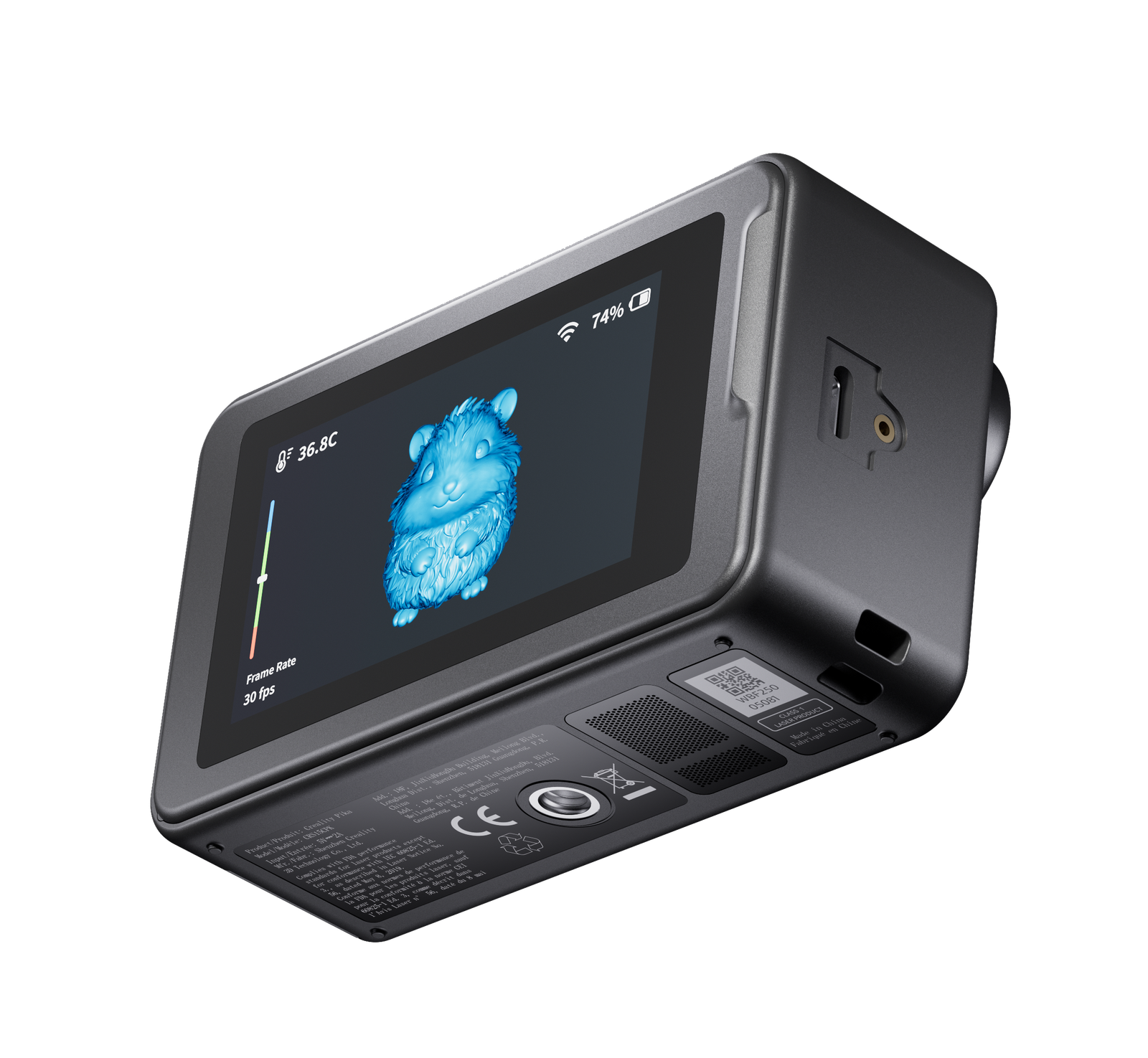
3D Prima Technology’s broader catalogue also includes tools for adjacent stages. The Creality Pika 3D Scanner is a separate option for capturing physical objects as digital models, while PrimaValue PLA+ offers a familiar filament alternative to consider for everyday prints. Neither is required for the Hi Combo; each solves a different workshop need.
To decide whether the added system earns its place, consider these questions:
- Do finished objects regularly need multiple colours?
- Will the CFS reduce enough manual swapping to matter?
- Is there room to keep the printer, filament and supplies accessible?
- Would a scanner or material upgrade solve a more frequent bottleneck?
A buyer should also consider how often a second colour changes the value of a print. A decorative object might gain visual clarity from separate colours, while a functional part may need the strength or temperature behaviour of one suitable material more than a multicolour finish. If colour is occasional, changing filament manually on a simpler setup could be a more sensible trade-off. The product page is the right place to compare bundle contents and current specifications. Review the Hi Combo listing alongside the retailer’s UK delivery information and warranty and returns details before placing an order. These pages can clarify what applies to your purchase. Check whether the supplied accessories suit your local power setup and whether the current bundle includes the components shown in product imagery. Product photographs may illustrate optional equipment, so the written contents list should guide expectations.
Before you decide
We would shortlist the Creality Hi Combo for makers who will use colour changes often and want a printer bundle with a mostly assembled frame. Its included CFS makes that workflow accessible from the start, while expansion to more colours means extra equipment and careful material planning.
The limitation is clear: buyers paying for the multi-material capability should have projects that use it, plus a suitable place for the printer and its supplies. Confirm current bundle contents, compatibility and service terms on 3D Prima Technology before committing.
Choose the Hi Combo when multi-colour printing is a regular need and you have space for its material workflow.