

A first look at Register365’s Irish roots, connected online services and the practical questions to ask before choosing a route.
Choosing a domain or website service can quickly turn into a decision about several connected jobs: where a name is registered, how a site is built, where it runs and how customers reach the business. Register365 brings those jobs into one Ireland-focused catalogue, so a new reader can compare more than a single hosting plan.
We reviewed the Ireland storefront and its service pages to understand the brand’s offer. Its public story is practical: domain registration, web services and customer support sit under one provider, with newer AI-led tools alongside established WordPress options. That breadth is useful, but the right route still depends on how much control and upkeep a business wants.
We may earn a commission when you buy through links on this page, at no extra cost to you.
Key facts: Register365 combines domains, email, hosting and ways to build or manage a site for the Irish market. Its range runs from the AI Website Builder ecommerce website to managed WordPress and Macaly AI; match the route to the work your site needs to do and confirm current plan terms on the store.
Register365 connects the address, site and business tools
Register365 presents a connected set of online essentials rather than a single-purpose product. A domain can be the starting point, with email and hosting around it; from there, customers can choose a visual site builder, a WordPress platform or a more custom tool. This can simplify research when someone would rather compare related services within one provider’s ecosystem.
The Irish context is visible in the storefront’s local domain offering and support information. Register365 lists telephone and ticket support routes. Those details matter to a small team that needs to know how to raise a question, but general support availability is not a substitute for checking the service level attached to a particular product.

- Start with the name: domain registration and transfers are separate from the site platform.
- Add communication: email hosting helps keep business correspondence attached to the domain.
- Choose a site route: visual builder, managed WordPress or custom tool each implies a different workflow.
For a first-time reader, the useful question is whether those pieces genuinely belong together in the planned setup. One account may be convenient, while separate specialist tools can still make sense if a business already has a preferred platform or needs a particular feature. Readers still choosing an address can browse Register365 domain services and review the Ireland support information alongside the site options.
The builder keeps a standard shop visually approachable
The AI Website Builder ecommerce website is aimed at businesses that want to create a conventional storefront without taking on the full WordPress setup. Register365 describes visual editing and shop functionality, including inventory-related tools. That puts it in scope for a small retailer who values a guided interface and wants their site, products and basic shop pages in one place. The ecommerce builder page is the place to confirm what the current package includes.
Its main appeal is a more managed path from blank page to published store. Before choosing it, check the current feature list for the specific needs that affect selling: product organization, payment options, shipping settings, integrations and the ability to export or move content later. A guided builder can reduce setup decisions, though it may offer less flexibility than an open platform as requirements become more unusual. Compare the builder’s shop tools with your actual sales workflow, and use the product details to check capability boundaries.
- Consider this route when the store brief is familiar and the team prefers visual controls.
- Review product and order limits, connected payment methods and included support on the product page.
- Ask whether expected changes can be made inside the editor without outside development help.
Managed WooCommerce leaves room for WordPress control
For a retailer already drawn to WordPress, Managed WooCommerce offers a different balance. WooCommerce runs as part of WordPress, which creates room for a broad extension ecosystem and content-led site structure. Register365 presents the service as managed, so the hosting package handles aspects of platform maintenance while the merchant still works within the WordPress environment. Read the Managed WooCommerce service page to see how Register365 frames that support.
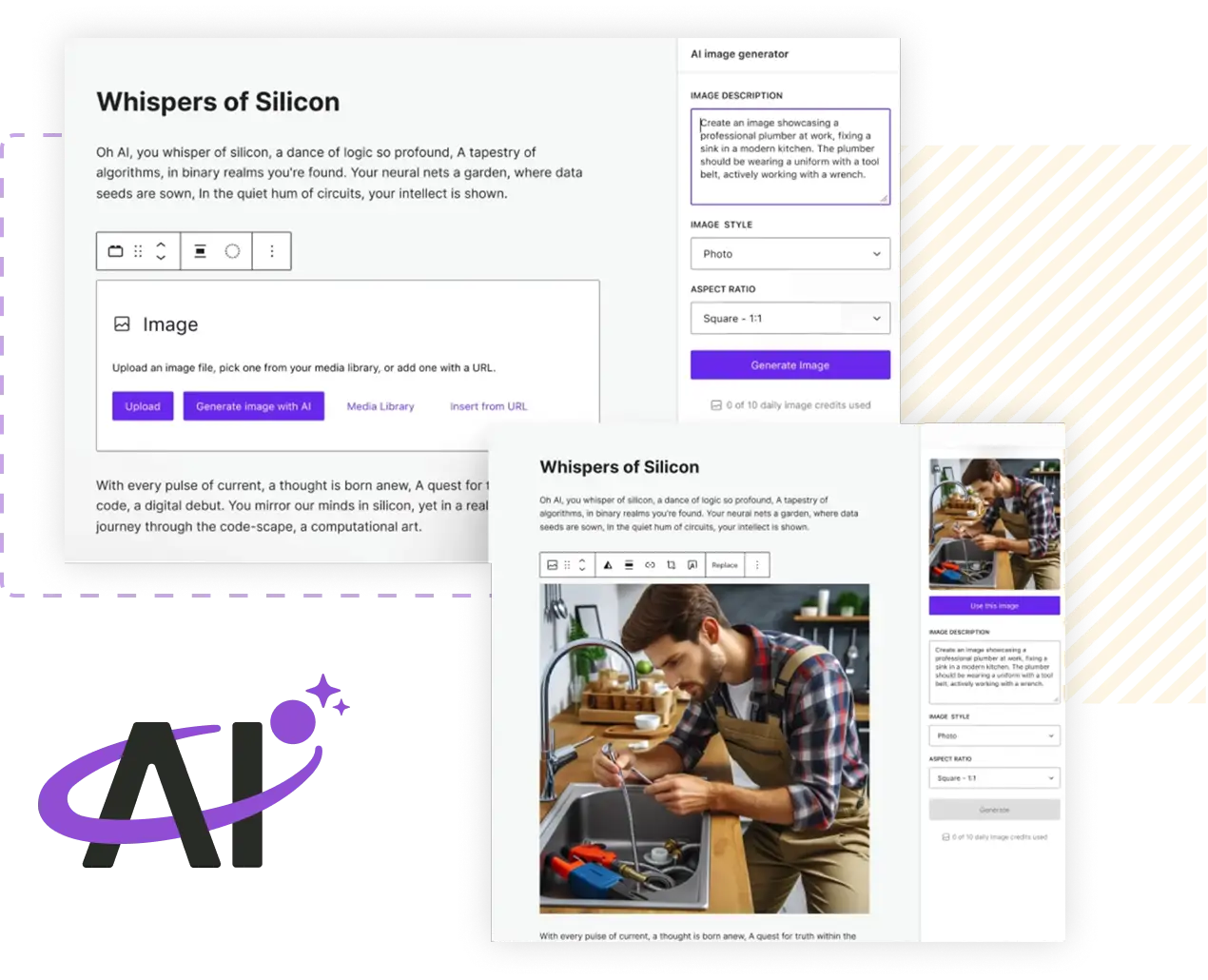
That distinction is important: managed hosting can reduce infrastructure chores, but it does not make every store decision disappear. Themes, plugins, catalog structure and day-to-day shop operations still need an owner. Review what management covers, how updates are handled and which resources or support channels are included. For an established WordPress workflow, the extra control can be valuable; for a simple first shop, the additional choices may be unnecessary. The managed store option deserves a closer look when the business already depends on WordPress.
- Choose it when WordPress is already central to the business or content plan.
- Check plugin compatibility, backup practices and the scope of managed maintenance.
- Allow time for configuration and ongoing store administration.

Macaly AI serves ideas that need custom behavior
Macaly AI Vibe Coding Tool extends the range beyond typical hosted sites. Register365 describes it as a way to create websites, web apps and business tools from an idea. That positions it for a workflow or small digital tool that does not fit neatly into a ready-made storefront or standard brochure template. The Macaly AI page gives a more direct view of this custom-build route.
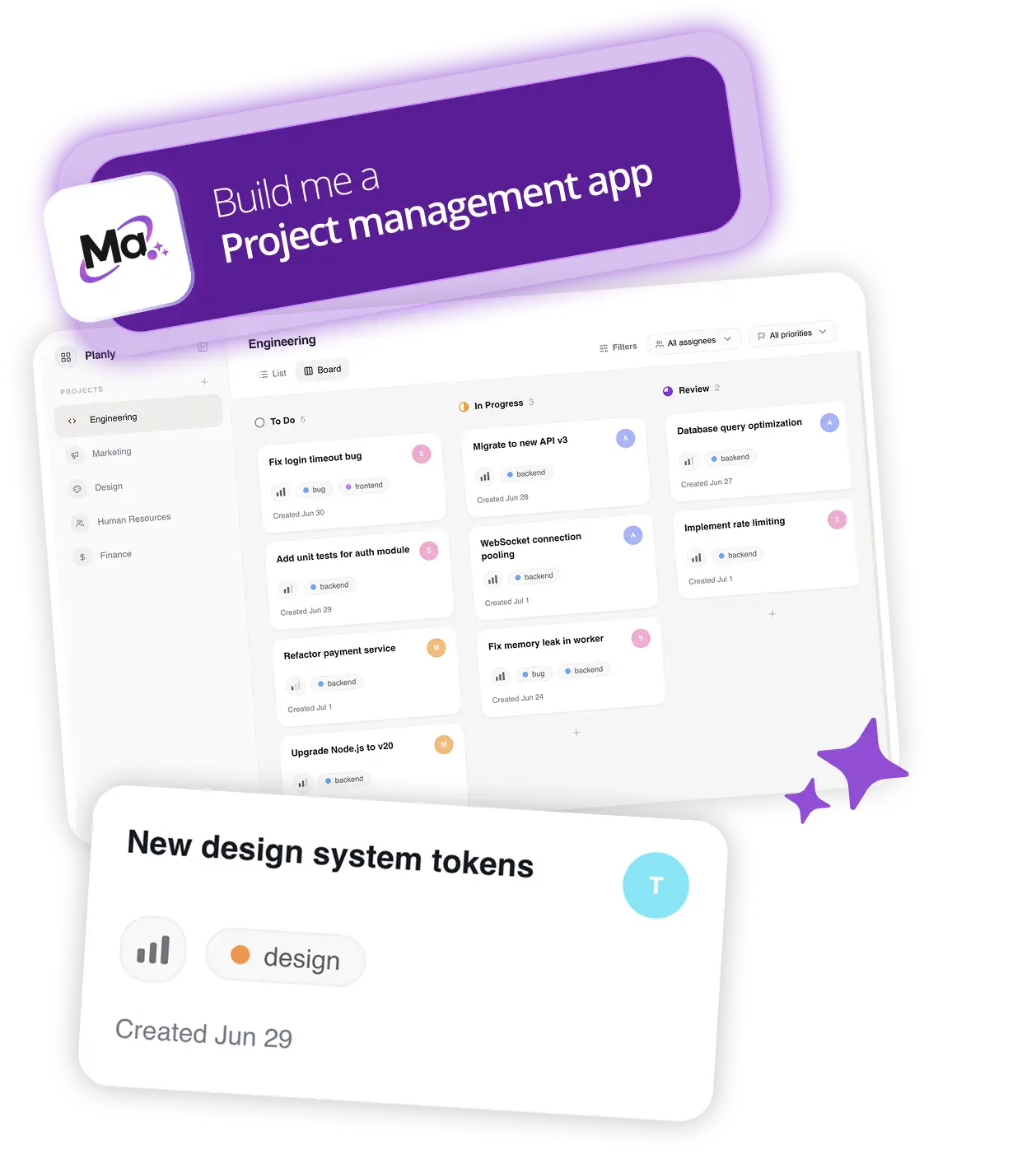
The opportunity is flexibility; the question is how much specification and review the project will require. A generated starting point still needs a clear brief, checks for accuracy and a decision about how the finished tool will be maintained. We would treat it as a route to explore for a defined custom task, not assume that every prompt produces a production-ready business system. Readers can inspect the tool overview before deciding whether its scope matches the project.
- Write down the user, task and essential information the tool must handle.
- Check what editing, publishing and ongoing support look like after creation.
- Compare a custom build with a standard website or booking service before committing.
Before you decide
A quick way to narrow the range is to match the product to the working style:
- AI Website Builder ecommerce website: a guided route for a standard shop and visual editing.
- Managed WooCommerce: more WordPress control for a team prepared to manage its store setup.
- Macaly AI Vibe Coding Tool: a custom starting point for a defined website, app or internal tool idea.
Register365 is most compelling as a starting point for Irish businesses that want to consider domains, email, site building and hosting in one catalogue. The range gives a first-time reader several sensible routes: a visual builder for a familiar shop, managed WooCommerce for WordPress control, and Macaly AI for a more tailored tool. The best fit follows the site’s job and the team’s capacity to manage it.
The limitation is that a broad menu does not establish which plan fits without checking details. Feature boundaries, support scope, renewal terms and migration options can vary by service, so compare those on the Ireland product pages before selecting. We recommend shortlisting one route based on workflow, then verifying the exact inclusions and current terms on that page.
Choose Register365 by the online job you need done, then confirm the plan details on its Irish storefront.