

A practical autumn guide to matching Register365’s website tools and hosting to the work your Irish business needs to get done.
A seasonal review can stay focused. Autumn is a useful point for Irish businesses to review the online jobs that have accumulated over the busy season. Maybe a basic site needs to become a booking channel, an idea needs a working demo, or an older WordPress site needs a more managed home. The right setup depends on which job matters most.
We reviewed Register365’s published product information for Ireland. Its range covers domains, website building, app creation, hosting and business email, so the useful question is where to begin and what to leave for later.
We may earn a commission when you buy through links on this page, at no extra cost to you.
Key facts: Macaly AI is aimed at creating custom web apps and tools from a written, spoken or visual idea; the AI Website Builder focuses on conventional websites and online shops; Managed WordPress adds hosting and maintenance features for WordPress users. Register365 also lists domain, email and booking services, so compare the job each plan covers before choosing.
Autumn planning starts with the next online task
A seasonal refresh does not have to mean rebuilding everything. Start by writing down the next concrete task: publish opening hours, collect enquiries, take appointments, sell products or test a new service. That short list can prevent an autumn project from growing into an unnecessary platform migration.
- Need a focused information site? Look at a conventional website builder.
- Need a custom workflow? Consider an app-building tool.
- Already rely on WordPress? Compare managed hosting before moving platforms.
Also note what already works: your domain, email addresses, existing content, booking records and any integrations. Keeping these in view makes a provider change easier to scope, especially if the website supports day-to-day customer contact.
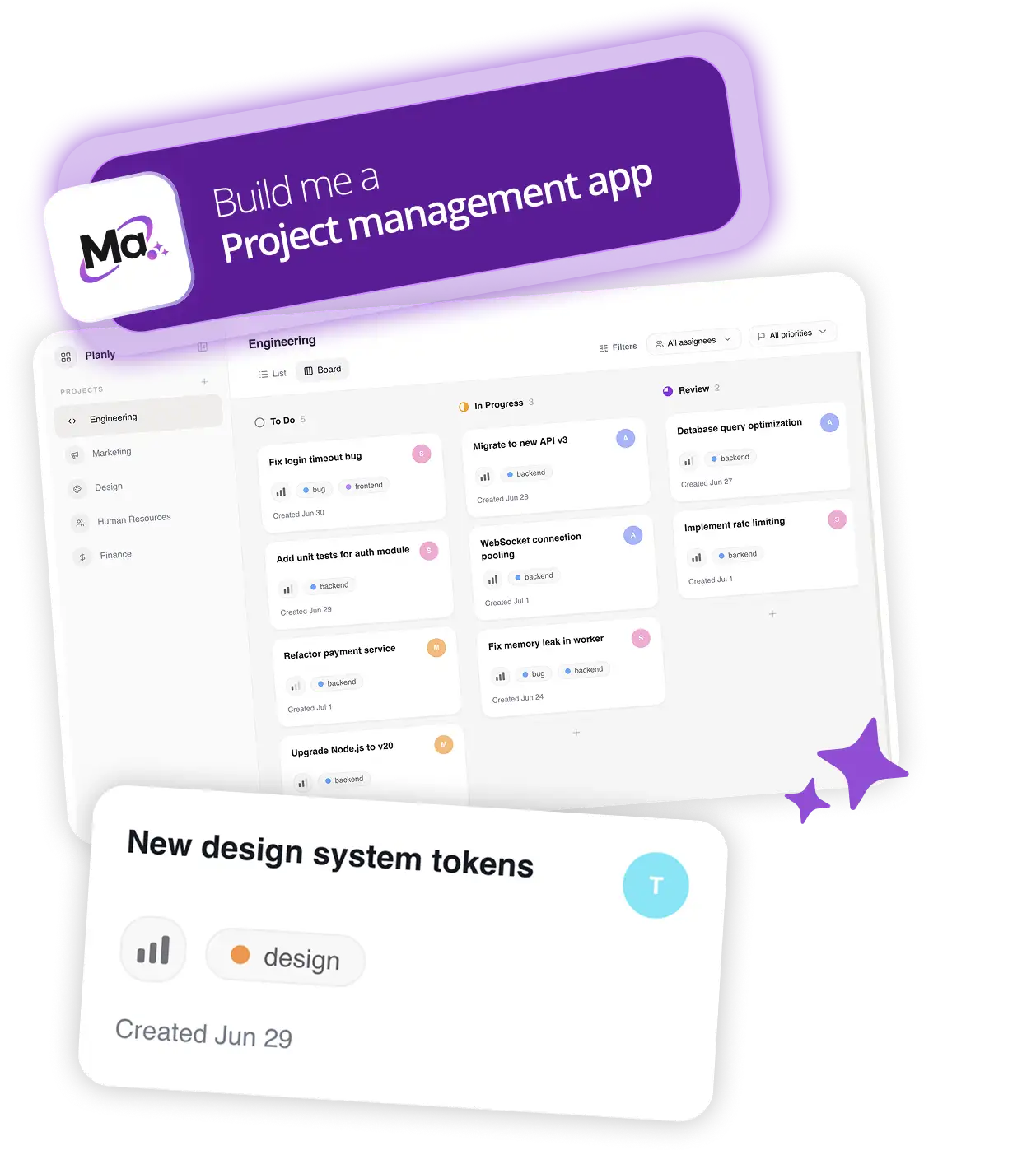
Macaly AI suits a specific app or workflow idea
Macaly AI Vibe Coding Tool is the most specialised option in this group. Register365 describes it as a way to turn a prompt, spoken idea, sketch or screenshot into a website or web application. Its page says the service can create pages, business logic, a database and hosting, and shows examples such as CRM and accounting projects.
That makes it a plausible route for a defined workflow: a simple enquiry dashboard, a service calculator or an internal planning tool. The scope is different from a simple information site. We would first write a short brief for the tool to build from, then check what editing, publishing and ongoing account requirements apply.
Macaly AI is less obviously suited to a business that only wants a standard brochure site or already has a developer-led stack. For those readers, its additional app-building capability may not be useful. Review the current plan details on the Macaly AI product page before deciding whether its workflow fits.
AI Website Builder keeps a standard site in focus
For a service business preparing for the quieter months, AI Website Builder is the more direct starting point. The Ireland page lists AI website creation, an AI text assistant, SEO tools, site statistics, search, multiple language support on some plans and online-store features at higher tiers. Those distinctions matter more than a generic promise of speed: confirm the features in your chosen plan.
It may suit a local service provider who needs a home page, service descriptions, enquiry details and perhaps a small product catalogue. A business wanting appointment scheduling should also compare Register365’s separate online booking service rather than assume booking is included in every builder plan. Likewise, check whether you need multiple languages, product variants or membership signup before moving content into a new template.
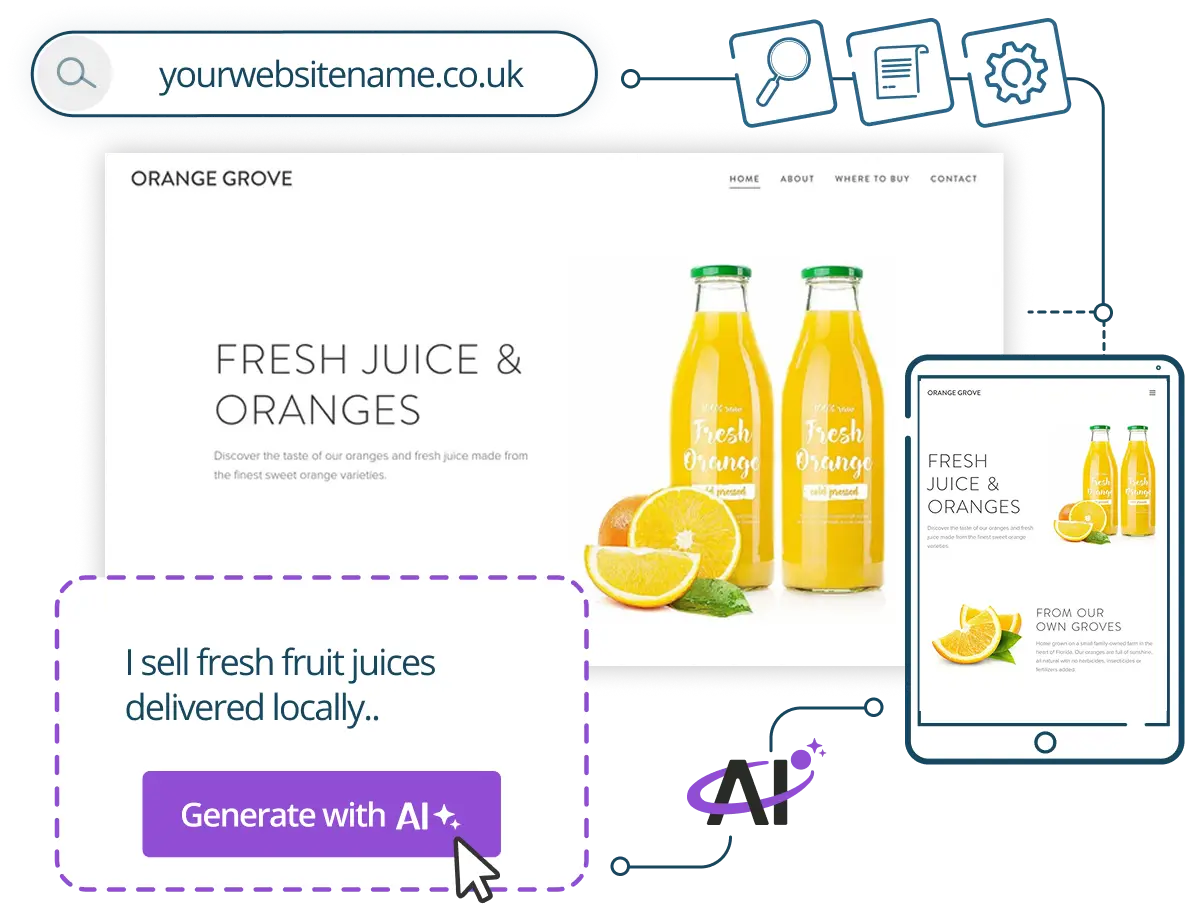
The builder’s included tools can be convenient, but a platform editor can limit how far a bespoke design or workflow can be customised. Check the page structure, integrations and export options against your plans for the coming year. The AI Website Builder details are the place to confirm current inclusions.

Managed WordPress prioritises an existing publishing setup
Managed WordPress is the logical comparison when the site already uses WordPress or the business expects to publish regularly. Register365 lists WordPress and plugin updates, automated backups, one-click backup restoration and a security feature with its managed plans. The page also describes SSD webspace, database capacity and included email accounts, with allowances varying by tier.
These features can reduce routine maintenance work, but they do not remove the need to manage content, review plugin compatibility or check the service’s storage and backup limits. Existing WordPress owners should inventory their theme, plugins, media library and email setup before a move. A managed plan is not automatically an upgrade if the present site is small and stable.

For a reader comparing a fresh build against an established site, Register365 Managed WordPress is strongest when maintenance support and a familiar publishing workflow matter. The honest trade-off is that a managed WordPress setup still calls for WordPress decisions and content upkeep. Check its plan specifications and migration requirements before switching.
The seasonal choice comes down to scope and upkeep
These services are not interchangeable. The difference is whether the autumn task is to build a custom app, a standard site or a WordPress setup, create a standard business presence or maintain a WordPress site. Use the table as a first filter, then inspect the product page for the plan details.
| Route | Best fit | Check before choosing |
|---|---|---|
| Macaly AI Vibe Coding Tool | Custom app or workflow idea | Editing and publishing needs |
| AI Website Builder | Standard business site or shop | Page, language and store features |
| Managed WordPress | Existing WordPress publishing | Storage, backups and migration |
Before comparing plans, record these details so you can check them consistently:
- The domain and email addresses you need to keep.
- The pages, appointments or sales functions required for launch.
- Who will update content and handle routine maintenance.
- Which integrations or data need to move from the current setup.
Register365 offers domain, email, hosting and booking services alongside its builders. That range may help if you want several parts under one provider, although bundling is useful only when the included features match your needs. Check the current plan terms on the relevant Register365 service pages.

For a seasonal project, a sensible sequence is to secure the domain and email first, then choose the site or hosting route, then add booking or ecommerce only if the business needs it. This keeps the initial build focused while leaving room to expand. Review whether each extra is included or sold separately.
Before you decide
Our recommendation is to choose by the work already in front of you: Macaly AI for a defined custom app idea, AI Website Builder for a conventional site, and Managed WordPress for an established WordPress operation that values maintenance features. If you need a conventional site and have no existing WordPress setup or custom workflow requirement, the builder is a likely fit. Businesses with an established publishing setup should compare WordPress directly.
The main limitation is that offerings vary by plan, and a product page alone cannot confirm how well a service fits your existing tools or migration needs. Check the live specifications, integrations and support terms before committing, then start with the smallest setup that covers the task.
Choose the Register365 route that matches this season’s actual website task, and verify the plan details before moving your business online.